Math Games: Math for Kids
- 4.4
- Rating
- 50.00M
- Installs
- Free
- Price
 Analysis by App-foxy
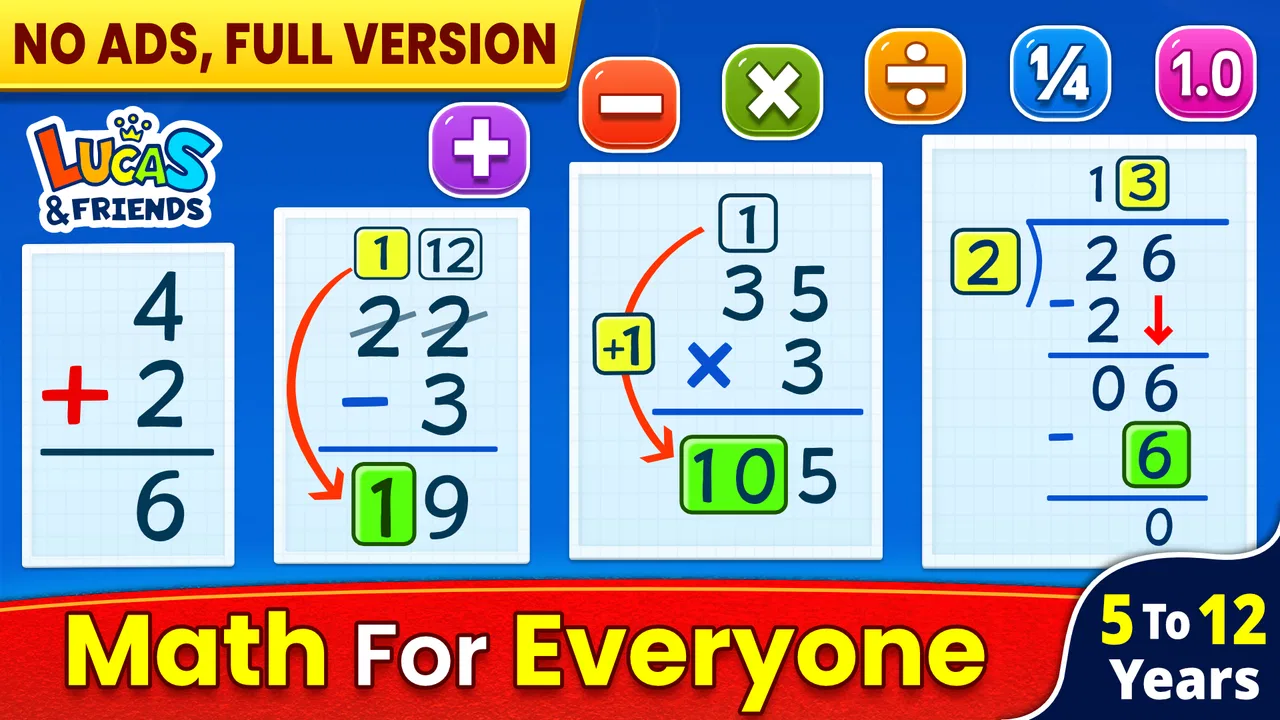
I found Math Games: Math for Kids easy to understand from the first launch, especially for a child who needs a friendly way to practise basic arithmetic rather than a full classroom replacement. It is a free educational game from RV AppStudios, built around addition, subtraction, multiplication and division. My overall impression is that it works best as a short, repeatable practice tool: open it, choose a suitable challenge, solve a few problems and stop before the activity starts to feel like homework.
The game is aimed at Everyone, so it is a reasonable option for families looking for an age-appropriate introduction to number practice. It has reached over ten million installs and holds a 4.4 average from around sixty-nine thousand ratings, which suggests that many families find the basic approach useful. I would still treat those figures as a sign of broad appeal, not as proof that it will suit every learner. Children who need detailed explanations, curriculum tracking or advanced mathematics will probably outgrow it.
What the first session feels like
The main strength is its narrow focus. Instead of surrounding a child with unrelated activities, the game keeps attention on the four operations most children meet first. That makes it suitable for a quick after-school exercise, a few minutes before dinner or a calm activity during travel. I like this because the parent does not have to explain a complicated system before the child can begin.
You May Also Like

 Blood Strike: 2.5 Anniversary
Blood Strike’s Loadouts Turn Every Drop Into a Tactical Gamble
A close look at Blood Strike’s custom loadouts: how fast access to signature weapons reshapes its battle royale rhythm, rewards preparation, and narrows the gap between fights.

 Pandora - Music & Podcasts
Pandora’s Music Is Easy to Start, but Harder to Recover
Pandora’s strength is its low-effort path from a seed to a station. Its weak spot is how much confidence it asks you to place in connection, setup, and quiet recovery.

 8 Ball Pool
 Is Built on Rivalries, Rematches, and Routine
A close look at the rivalries, rematches, shared routines, and unanswered safety questions that turn a quick pool match into a persistent mobile community.

 Samsung Music
’s Quiet Strength Is Playing What You Already Own
Its reach comes less from spectacle than from dependable access to a personal library. That simplicity is both the app’s strongest retention engine and its ceiling.

 AccuWeather: Weather Radar
AccuWeather Review: A Quick, Clear Forecast for Everyday Decisions
For everyday plans, the best forecast is the one you can understand quickly. AccuWeather makes rain timing, radar, and local conditions easy to act on, with a few trade-offs.

 Hill Climb Racing
Why Hill Climb Racing Still Turns Crashes Into One More Run
A tiny car, a bumpy hill and one more upgrade: Hill Climb Racing keeps resurfacing because its simple chaos makes every near-miss feel personal.
More From Our News Desk



On a first visit, I would not ask a child to work through everything immediately. I would start with the operation they already recognise, probably addition, and use that as a confidence-building entry point. Once the child is comfortable reading the question and selecting an answer, subtraction can follow. Multiplication and division are better introduced when the learner is ready for repeated practice rather than simply because they appear in the same app.
The first meaningful success should be a correct answer the child understands, not merely a fast tap. I would pause after an easy problem and ask the child to explain how they reached it. That small habit turns the game from guessing practice into a chance to connect the on-screen question with actual reasoning.
The visual game format can make repetition less intimidating than a worksheet. A child who resists a page of sums may be more willing to try a short round in an app. At the same time, the game should not become a substitute for writing numbers down. For children who reverse digits, lose track while carrying, or struggle to see how division relates to multiplication, paper and conversation remain important companions.
Choosing the right starting point
The most useful decision is not whether the child can technically answer a question, but whether the current level encourages independent work. If every problem is instantly solved, the activity becomes empty tapping. If nearly every question causes hesitation, the child may associate the game with failure. I recommend beginning with the easiest operation the child can complete without constant adult intervention, then moving gradually when the answers become comfortable.
A practical routine is to let the child do a short practice period, then review only one or two mistakes. Discussing every error can make a simple game feel like an examination. Instead, ask questions such as “What did you count first?” or “Could we check that with the opposite operation?” This is particularly useful for subtraction and division, where a child may know the answer but not yet have a reliable checking method.
One non-obvious benefit of using the four operations in the same place is that a parent can notice which kind of difficulty is appearing. A child might be confident with addition but hesitate with subtraction because they are counting backward. Another child may know multiplication facts but struggle with division because they do not recognise the reverse relationship. The app is therefore most helpful when it starts a conversation about the pattern behind the answer.
Getting started without making setup a problem
Installation is straightforward for compatible devices. The game requires Android 6.0 or later, so anyone using an older Android device should check compatibility before planning a practice routine. It is free to use, which removes the need to make a purchase decision before seeing whether the style suits the child. The current version is 2.0.2, and the app was released on August 25, 2020.
After opening it, I would keep the first setup deliberately simple. Put the device somewhere comfortable, adjust the screen so the child can see the questions clearly, and agree on a short session before handing it over. This matters more than trying to create a perfect study environment. A child who is already tired will not benefit from a long arithmetic session simply because the game is available.
Parents should also decide how much help they intend to give. If an adult answers too quickly, the child learns to wait for assistance. If the adult disappears completely, a confusing instruction can end the session before learning begins. My preferred approach is to sit nearby for the first few questions, explain the task in ordinary language and then let the child continue independently.
The game is free, but I would still supervise a young child’s first use of any app. That is not because the mathematics is complicated; it is because the learning value depends on how the child interacts with it. A child who rushes through by guessing may appear busy without practising calculation. A parent can gently encourage reading the entire question and checking the result instead of focusing only on speed.
The first successful action
For a first-time user, the clearest path is to select one familiar operation, solve the first question aloud if necessary, and then let the child try the next one. If the answer is correct, celebrate the method briefly: “You counted the groups correctly,” or “You checked the subtraction.” This gives the child something more useful than praise for tapping the right area.
If the first answer is wrong, I would avoid immediately revealing the solution. Ask the child to try again with objects, fingers or a quick drawing. Addition can be represented with small items, multiplication with equal groups, and division with sharing. The game supplies the prompt, while the real-world example supplies the explanation. That combination is more effective than repeating the same screen until the answer happens to be selected.
A useful workflow is to keep a tiny mental note of the first recurring mistake. For example, if a child repeatedly confuses multiplication with addition, practise one simple group example away from the device before returning to the game. If division causes trouble, reverse the question: ask which multiplication fact would produce the number being divided. This turns a point of frustration into a targeted exercise.
I also recommend ending a first session after a clear success rather than waiting for the child to become bored. Finishing immediately after a problem they solved independently creates a positive stopping point. The next session can then begin with a familiar operation and move one small step further.
Where children and parents may get confused
The biggest possible misunderstanding is assuming that a correct answer always means the concept has been learned. In a game, children can sometimes guess, remember a repeated question or use a pattern without understanding the operation. I would occasionally ask them to explain the answer in a different way. If they can solve the problem but cannot describe what happened, the app should be followed by a short offline example.
Another source of confusion is treating all four operations as equally suitable at the same time. Addition and subtraction often feel concrete because children can count objects. Multiplication introduces repeated groups, while division introduces sharing or grouping. A child may therefore be ready for one operation but not another. There is no benefit in forcing a difficult operation simply to complete the set.
Speed can also become a distraction. Some children enjoy racing through questions, but fast answers are not automatically strong answers. I would encourage careful reading first, especially when the child is learning to distinguish the operation symbols. If the game makes the child anxious about mistakes, slow the session down and use the app as a prompt for discussion rather than a test of performance.
It is worth remembering that this is a game, not a complete teaching programme. It does not replace a teacher’s ability to identify misconceptions, adapt explanations or connect arithmetic with a child’s schoolwork. It is also less suitable for a learner who needs rich visual explanations, written working, word problems or a detailed record of progress. In those situations, a workbook, tutoring session or broader learning platform may be a better primary tool.
How it compares with familiar alternatives
Compared with ordinary worksheets, the game feels more inviting for children who dislike repetitive paper exercises. The immediate activity can lower the barrier to starting, and the format is convenient when a notebook is not nearby. Worksheets are stronger, however, when a parent wants to see every step of a calculation or practise handwriting and layout.
Compared with flashcards, the app offers a more playful setting, while physical cards make it easier for an adult to control the pace and ask follow-up questions. Flashcards can also be better for a focused multiplication-fact routine. Compared with a broad educational platform, this game is simpler to enter because its purpose is clear, but it may feel limited to children ready for fractions, geometry, measurement or multi-step problems.
That trade-off is exactly why I would recommend it as a supplement. It is a good choice when the goal is regular arithmetic exposure without a complicated lesson plan. It is not the right choice when the goal is a complete mathematics curriculum, formal assessment or detailed progress reporting.
Making the practice useful beyond the screen
The strongest routine I found is to connect one game session with one ordinary task. After addition practice, count fruit or compare two small groups of objects. After multiplication, arrange items in equal rows. After division, share a set of objects fairly. These activities take little preparation, but they show the child that the symbols on the screen describe things they already see in daily life.
Another effective approach is alternating operations across days rather than mixing everything at once. One session can focus on addition, the next on subtraction, and a later session on multiplication or division. This makes it easier to notice whether a mistake comes from calculation or from confusing the operation itself. Once each operation is familiar, mixing them becomes more meaningful because the child has to identify the correct method.
For a busy family, I would use the game during a predictable transition, such as the quiet period after school before dinner. Keep the device in the same place and set a modest expectation: open the game, complete a short effort, talk about one answer and stop. The routine is more valuable than an occasional long session. If the child is hungry, upset or overtired, skipping the activity is better than turning arithmetic into a daily argument.
Parents can also use mistakes as diagnostic clues. Repeated addition errors may point to counting problems, while subtraction errors may reveal difficulty with number order. Multiplication mistakes may show that equal groups are not yet understood, and division mistakes may indicate that sharing is still abstract. The app does not need to explain every issue for it to be useful; a thoughtful adult can use the child’s responses to choose the next offline example.
One important trade-off is independence versus supervision. Leaving a child alone makes the activity convenient, but it also makes guessing and rushing harder to notice. Sitting beside the child every time gives better feedback but may make the child dependent on an adult. I would supervise the first few sessions, then check in at intervals while asking the child to explain one answer at the end.
Who should try it and who should look elsewhere
I would recommend this game to parents of young learners who need extra practice with the four basic operations and respond better to a game than to a worksheet. It is also useful for a child returning to arithmetic after a break, provided the starting questions feel manageable. The free price makes it practical to test without committing to a paid course, and the Everyone age rating suits its family-oriented purpose.
I would be more cautious for children who become frustrated by wrong answers, rush through touch controls or need a very structured lesson. In those cases, an adult should stay involved and use the game briefly. Children already working comfortably with more advanced mathematics may find the content too basic, so a workbook or a broader learning app would provide more room to grow.
My final recommendation is to think of Math Games: Math for Kids as a convenient practice companion, not as the teacher in the room. Its best use is a short, regular session followed by a question, drawing or real-life example that checks understanding. When used that way, RV AppStudios’ game offers a gentle route from opening the app to achieving a real arithmetic success, while still leaving space for the explanations that only a parent or teacher can provide.
FAQs for Math Games: Math for Kids
01What age group is Math Games: Math for Kids suitable for?
Math Games: Math for Kids is designed primarily for children aged 4 to 10 years old. The game offers a variety of levels and challenges tailored to different age groups, ensuring that kids can learn and practice math skills appropriate to their developmental stage. However, older children may also find the advanced levels beneficial.
02Does Math Games: Math for Kids require an internet connection to play?
No, Math Games: Math for Kids does not require an internet connection for most of its features. Once downloaded, kids can enjoy playing offline, making it a convenient option for travel or places with limited connectivity. However, an internet connection might be needed for updates or additional content downloads.
03Are there any in-app purchases or ads in Math Games: Math for Kids?
Yes, Math Games: Math for Kids includes both in-app purchases and ads. While the basic version is free, users can purchase additional levels or features through the app. Ads are present but can be removed with a one-time purchase. It's advisable for parents to review these options before allowing children to play.
04Is Math Games: Math for Kids available on both Android and iOS?
Yes, Math Games: Math for Kids is available on both Android and iOS platforms. Users can download it from the Google Play Store for Android devices and the Apple App Store for iOS devices. The app is optimized for both tablets and smartphones to provide a seamless learning experience.
05How does Math Games: Math for Kids ensure educational value?
Math Games: Math for Kids integrates educational content aligned with school curriculums, focusing on foundational math skills such as addition, subtraction, multiplication, and division. The app uses interactive games and challenges to reinforce learning, making math fun and engaging for children while tracking their progress.
Pros
- Engaging interface for young learners
- Variety of math games available
- Improves mental math skills
- Encourages daily practice
- Suitable for different age groups
Cons
- Contains ads that can be distracting
- Limited offline functionality
- In-app purchases can add up
- Some levels may be too easy
- Requires frequent updates

Math Games: Math for Kids
Gallery